

Keep in mind, that fallbacks will be displayed in addition to the answer. If you want to provide the user with a standard answer if no document or information can be found, use the tonality instead. Additionally, the fallback functionality doesn’t require or use any permissions. If you have different user groups for your Agent, separation based on user groups won’t be possible. Therefore, fallbacks should be generalistic.
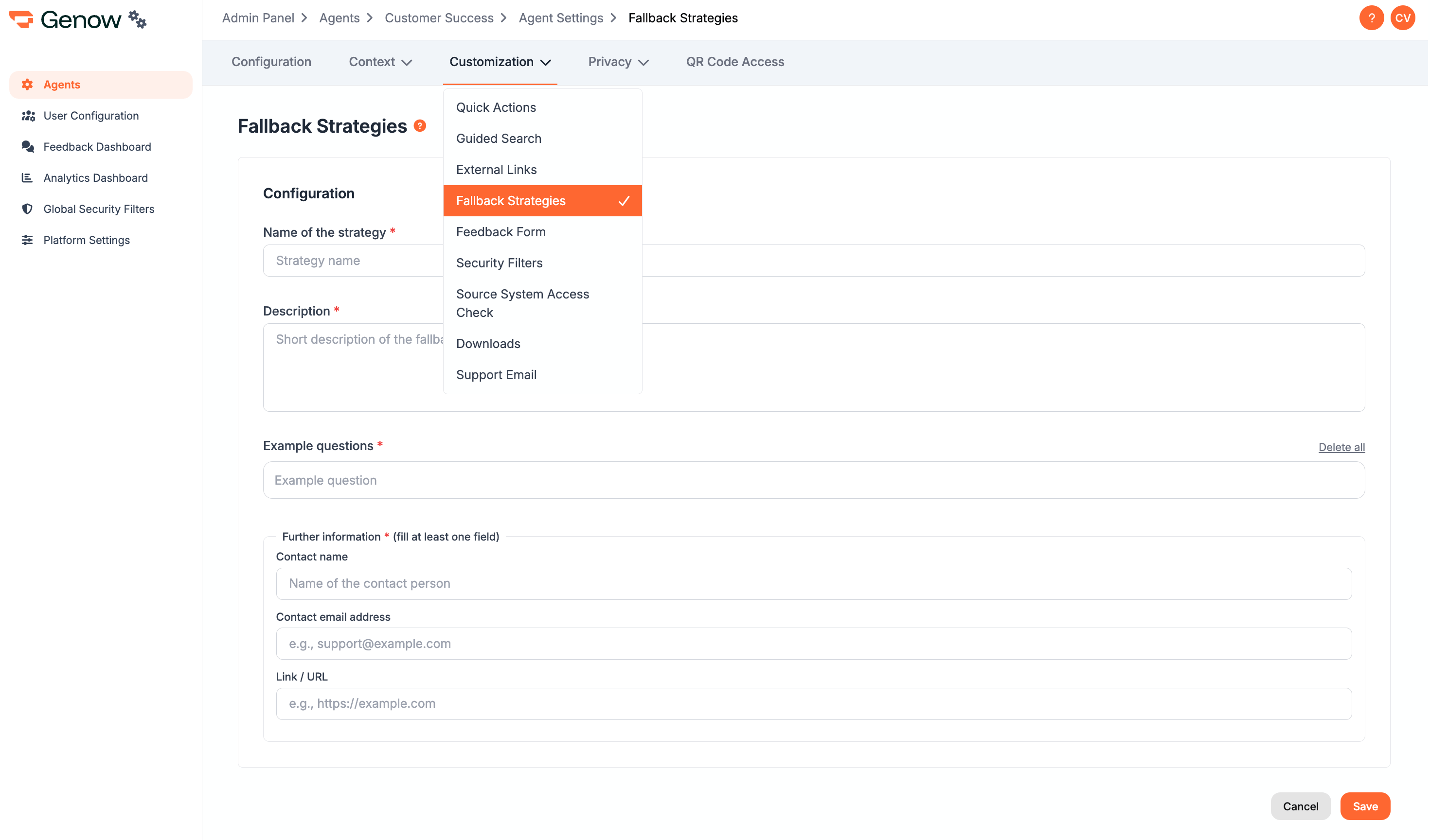
How to Set Up Fallbacks
You will need the following information to add a fallback:- Fallback Name: will be displayed to the user
- Description: a description of the fallback strategy. Will be accessable to the user via a mouseover.
- Example questions: a list of example questions.
The selection of a fallback is based on similarity of the user question and example questions. The list of example questions should therefore include at least five similar questions. This also means, that if you have multiple fallback strategies with similar example questions, the selection process will be unreliable.
- Further information: Fill out at least one of:
- Contact name or additional information (free text input): Might be a description or explanation or a name of a contact person.
- Contact email address: up to one email address. Clickable in the user interface via mailto.
- Link / URL: a link to an additional website