

- You can find your personal space in the gray vertical menu bar on the left.
- Click
+Add knowledge assetto create a new personal asset.
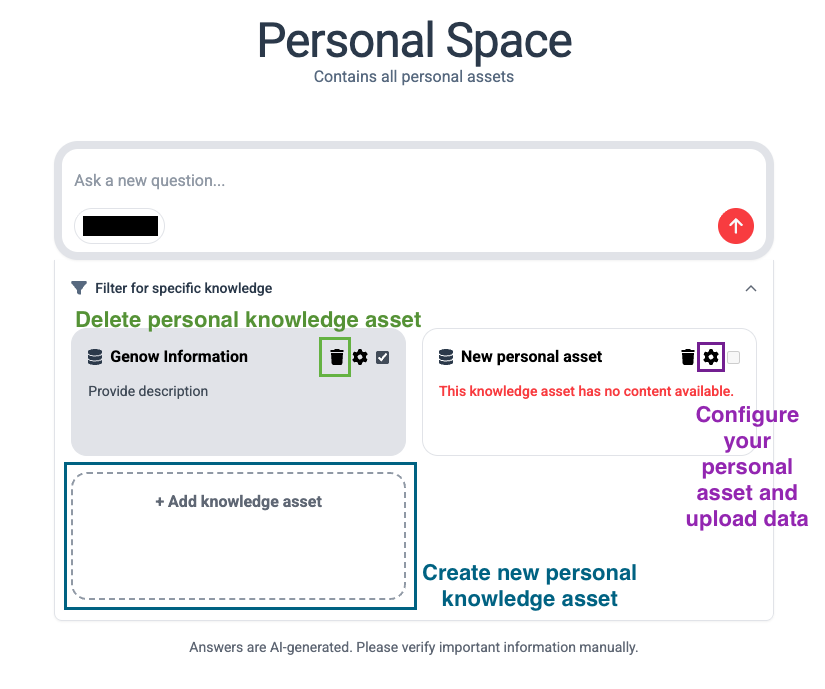
Configure Your Personal Asset
You can configure your personal asset by clicking on the gear wheel icon.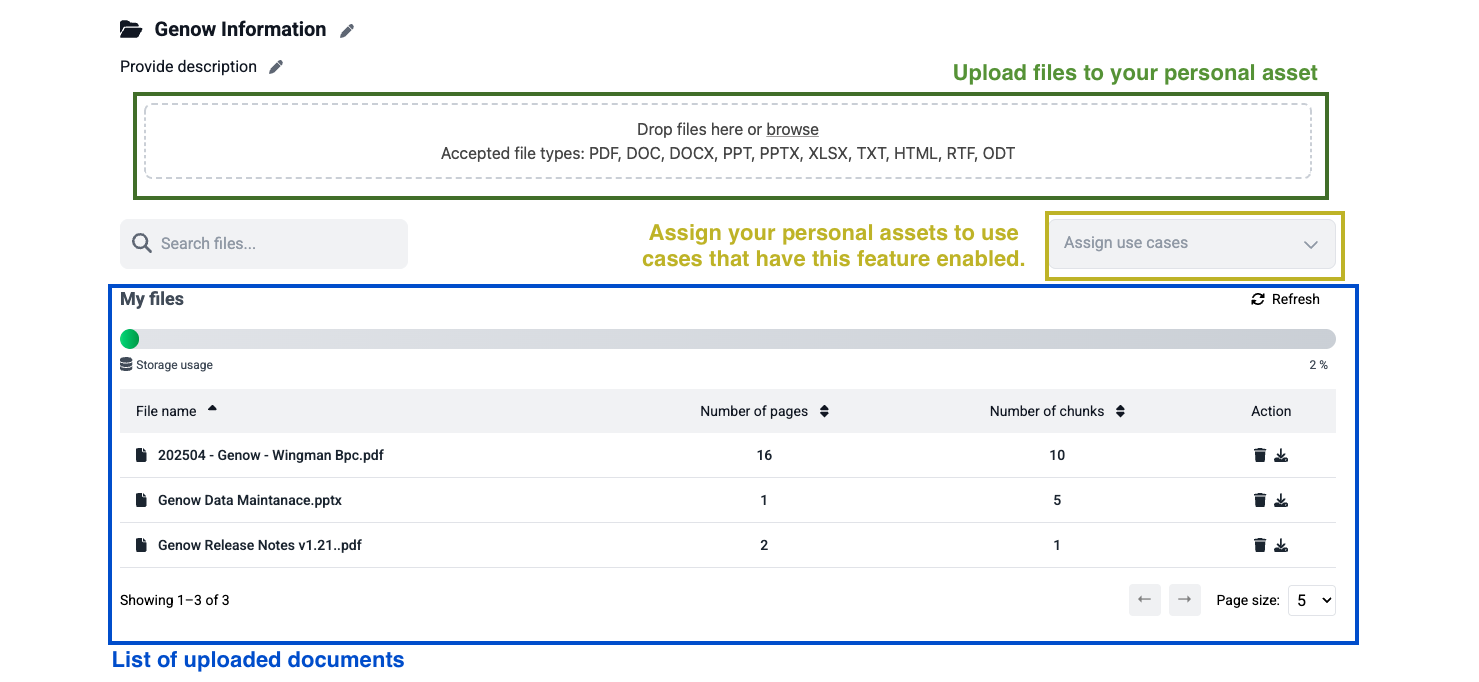
Features and Functionalities
- Change the name and description of your personal asset by clicking on the pen icon.
- Upload files to your personal asset. These files can be pdf, doc, docx, ppt, pptx, xlsx, txt, html, rtf, odt, md, mdx
- Assign the personal asset to Agents. Agents can enable and disable the functionality to add personal assets.
- A list of uploaded documents is displayed as well.
Limitations Regarding the Asset Storage Size
For document uploads in the personal space, general upload restrictions apply. These can be found here. Furthermore, Personal Assets have additional guidelines regarding processed file sizes. The size of information in a Personal Asset is specified in “chunks”. Chunks are divided text segments that allow our AI model to efficiently access and use relevant information from large documents. The actual number of pages that can be processed depends on text size, layout, etc.A Personal Asset has a maximum size of 1000 chunks of data, which corresponds to approximately 1000-2000 pages of text. Additionally, the same requirements apply regarding processed file formats (see table above).Planned Features - will be released in the upcoming weeks
- Web search for each prompt
Adding Content to a Single Question
You do not have to add everything to a personal asset. You can also add content to one question at a time:- Files and images: Upload documents and images directly in a search or thread and use them as context - ideal for a one-off document.
- Voice input: Click the microphone icon in the input field to dictate your question instead of typing it.
Voice input and file uploads
Click here to learn more about dictating prompts and pasting files into the input field.